<?xml version="1.0" encoding="utf-8"?><?xml-stylesheet type="text/xsl" href="atom.xsl"?>
<feed xmlns="http://www.w3.org/2005/Atom">
    <id>https://hevody.github.io/velocity-labs</id>
    <title>Welcome to Velocity's Site Blog</title>
    <updated>2026-08-29T00:00:00.000Z</updated>
    <generator>https://github.com/jpmonette/feed</generator>
    <link rel="alternate" href="https://hevody.github.io/velocity-labs"/>
    <subtitle>Welcome to Velocity's Site Blog</subtitle>
    <icon>https://hevody.github.io/velocity-labs/img/favicon.ico</icon>
    <entry>
        <title type="html"><![CDATA[How I set up and host FreshRSS in Termux (Android)]]></title>
        <id>https://hevody.github.io/velocity-labs/2026/08/29/FreshRSS</id>
        <link href="https://hevody.github.io/velocity-labs/2026/08/29/FreshRSS"/>
        <updated>2026-08-29T00:00:00.000Z</updated>
        <summary type="html"><![CDATA[Preview]]></summary>
        <content type="html"><![CDATA[<br>
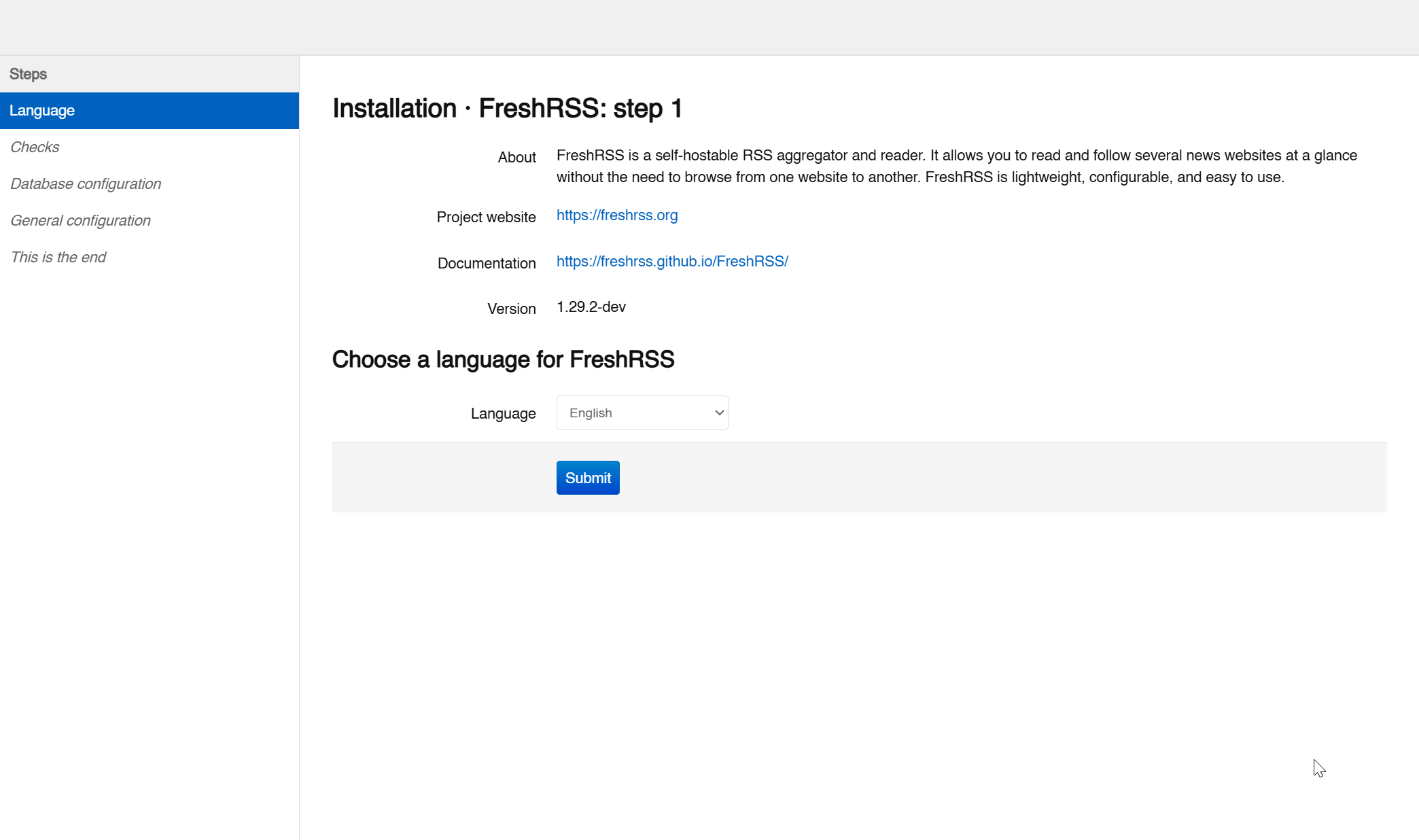
<p><img decoding="async" loading="lazy" alt="Preview" src="https://hevody.github.io/velocity-labs/assets/images/Pasted-image-20260829223900-3e2904f5793330f801176a9cb8a4e281.png" width="2084" height="1199" class="img_ev3q"></p>
<p>Fear Of Missing Out (FOMO) is a real phenomenon whether the minority of the society dictates that it is not and whether you like it or not. We live in a word where if you do not care or are not aware about anything that is happening in your surroundings, then people will just think that you're weird. And no offense. But that's just how the society works. We are all humans who are social species after all.</p>
<!-- -->
<p>However, I dislike the idea of drowning yourself in this pool of TikTok videos which are the slot machines of the modern generation. Social media and all these brain rot AI slop content are the most anxiety-inducing drug that the humanity has ever made. I am no anti-digital and anti-media guy. Why am I even talking to you if I am not? That'll be ironic.</p>
<p>I figure that looking at RSS feeds will be much more productive rather than looking at those posts and videos that are fed to the <strong>algorithm</strong> by these quote unquote "influencers". Because let's be honest, majority of, if not all, of them are competing to get those views by creating the most garbage content that will ever lay on our own eyes. Plus, it's all money and no authenticity anymore. The pinnacle of human degeneracy.</p>
<p>And why Android and on my phone, you might ask? Because hosting it in my phone is easily accessible where ever I go, while I can also access it in my laptop or in a PC. It's just less hassle. At first, I did not even expect that it will run in my phone given my assumptions that Termux is limited. Well, I underestimated Termux, so ehem, apologies.</p>
<p>Alright, I'mma go quit yapping, let's start configuring FreshRSS.</p>
<h2 class="anchor anchorTargetStickyNavbar_Vzrq" id="installation">Installation<a href="https://hevody.github.io/velocity-labs/2026/08/29/FreshRSS#installation" class="hash-link" aria-label="Direct link to Installation" title="Direct link to Installation" translate="no">​</a></h2>
<p>First and foremost, we needed to add the necessary dependencies, or else FreshRSS won't run. Let's go and update Termux's package manager if you haven't already. I am more inclined to use <code>apt</code> instead of <code>pkg</code> just because of how familiar the Debian environment is for me. But you do you.</p>
<div class="language-bash codeBlockContainer_Ckt0 theme-code-block" style="--prism-color:#393A34;--prism-background-color:#f6f8fa"><div class="codeBlockContent_QJqH"><pre tabindex="0" class="prism-code language-bash codeBlock_bY9V thin-scrollbar" style="color:#393A34;background-color:#f6f8fa"><code class="codeBlockLines_e6Vv"><div class="token-line" style="color:#393A34"><span class="token plain">apt update &amp;&amp; apt upgrade</span><br></div></code></pre></div></div>
<div class="language-bash codeBlockContainer_Ckt0 theme-code-block" style="--prism-color:#393A34;--prism-background-color:#f6f8fa"><div class="codeBlockContent_QJqH"><pre tabindex="0" class="prism-code language-bash codeBlock_bY9V thin-scrollbar" style="color:#393A34;background-color:#f6f8fa"><code class="codeBlockLines_e6Vv"><div class="token-line" style="color:#393A34"><span class="token plain">apt install git php-apache sqlite  -y</span><br></div></code></pre></div></div>
<p>Moving on to the exciting part, we need to clone the GitHub repository of FreshRSS.</p>
<div class="language-bash codeBlockContainer_Ckt0 theme-code-block" style="--prism-color:#393A34;--prism-background-color:#f6f8fa"><div class="codeBlockContent_QJqH"><pre tabindex="0" class="prism-code language-bash codeBlock_bY9V thin-scrollbar" style="color:#393A34;background-color:#f6f8fa"><code class="codeBlockLines_e6Vv"><div class="token-line" style="color:#393A34"><span class="token plain">git clone https://github.com/FreshRSS/FreshRSS.git</span><br></div><div class="token-line" style="color:#393A34"><span class="token plain">cd FreshRSS</span><br></div></code></pre></div></div>
<h2 class="anchor anchorTargetStickyNavbar_Vzrq" id="running-the-server">Running the Server!<a href="https://hevody.github.io/velocity-labs/2026/08/29/FreshRSS#running-the-server" class="hash-link" aria-label="Direct link to Running the Server!" title="Direct link to Running the Server!" translate="no">​</a></h2>
<p>I think we're pretty much done...</p>
<div class="language-bash codeBlockContainer_Ckt0 theme-code-block" style="--prism-color:#393A34;--prism-background-color:#f6f8fa"><div class="codeBlockContent_QJqH"><pre tabindex="0" class="prism-code language-bash codeBlock_bY9V thin-scrollbar" style="color:#393A34;background-color:#f6f8fa"><code class="codeBlockLines_e6Vv"><div class="token-line" style="color:#393A34"><span class="token plain">php -S 0.0.0.0:8080 -t ./p</span><br></div></code></pre></div></div>
<p>Just a side note: you can also access this using your laptop's browser just like I mentioned before</p>
<p>Type this in your Termux terminal:</p>
<div class="language-bash codeBlockContainer_Ckt0 theme-code-block" style="--prism-color:#393A34;--prism-background-color:#f6f8fa"><div class="codeBlockContent_QJqH"><pre tabindex="0" class="prism-code language-bash codeBlock_bY9V thin-scrollbar" style="color:#393A34;background-color:#f6f8fa"><code class="codeBlockLines_e6Vv"><div class="token-line" style="color:#393A34"><span class="token plain">ifconfig</span><br></div></code></pre></div></div>
<p>The output will look something just like this:</p>
<div class="language-text codeBlockContainer_Ckt0 theme-code-block" style="--prism-color:#393A34;--prism-background-color:#f6f8fa"><div class="codeBlockContent_QJqH"><pre tabindex="0" class="prism-code language-text codeBlock_bY9V thin-scrollbar" style="color:#393A34;background-color:#f6f8fa"><code class="codeBlockLines_e6Vv"><div class="token-line" style="color:#393A34"><span class="token plain">lo: flags=73&lt;UP,LOOPBACK,RUNNING&gt;  mtu 65536</span><br></div><div class="token-line" style="color:#393A34"><span class="token plain">        inet 127.0.0.1  netmask 255.0.0.0</span><br></div><div class="token-line" style="color:#393A34"><span class="token plain">        unspec 00-00-00-00-00-00-00-00-00-00-00-00-00-00-00-00  txqueuelen 1000  (UNSPEC)</span><br></div><div class="token-line" style="color:#393A34"><span class="token plain" style="display:inline-block"></span><br></div><div class="token-line" style="color:#393A34"><span class="token plain">wlan0: flags=4163&lt;UP,BROADCAST,RUNNING,MULTICAST&gt;  mtu 1500</span><br></div><div class="token-line" style="color:#393A34"><span class="token plain">        inet 192.168.0.107  netmask 255.255.255.0  broadcast 192.168.0.255</span><br></div><div class="token-line" style="color:#393A34"><span class="token plain">        unspec 00-00-00-00-00-00-00-00-00-00-00-00-00-00-00-00  txqueuelen 3000  (UNSPEC)</span><br></div></code></pre></div></div>
<p>your local IP Address will be in the <code>wlan0</code> after <code>inet</code></p>
<p>In my case, it is <code>192.168.0.107</code></p>
<p>Put this in your URL bar:</p>
<div class="language-text codeBlockContainer_Ckt0 theme-code-block" style="--prism-color:#393A34;--prism-background-color:#f6f8fa"><div class="codeBlockContent_QJqH"><pre tabindex="0" class="prism-code language-text codeBlock_bY9V thin-scrollbar" style="color:#393A34;background-color:#f6f8fa"><code class="codeBlockLines_e6Vv"><div class="token-line" style="color:#393A34"><span class="token plain">&lt;your_local_ip_address&gt;:8080</span><br></div><div class="token-line" style="color:#393A34"><span class="token plain">#example: 192.168.0.107:8080</span><br></div></code></pre></div></div>
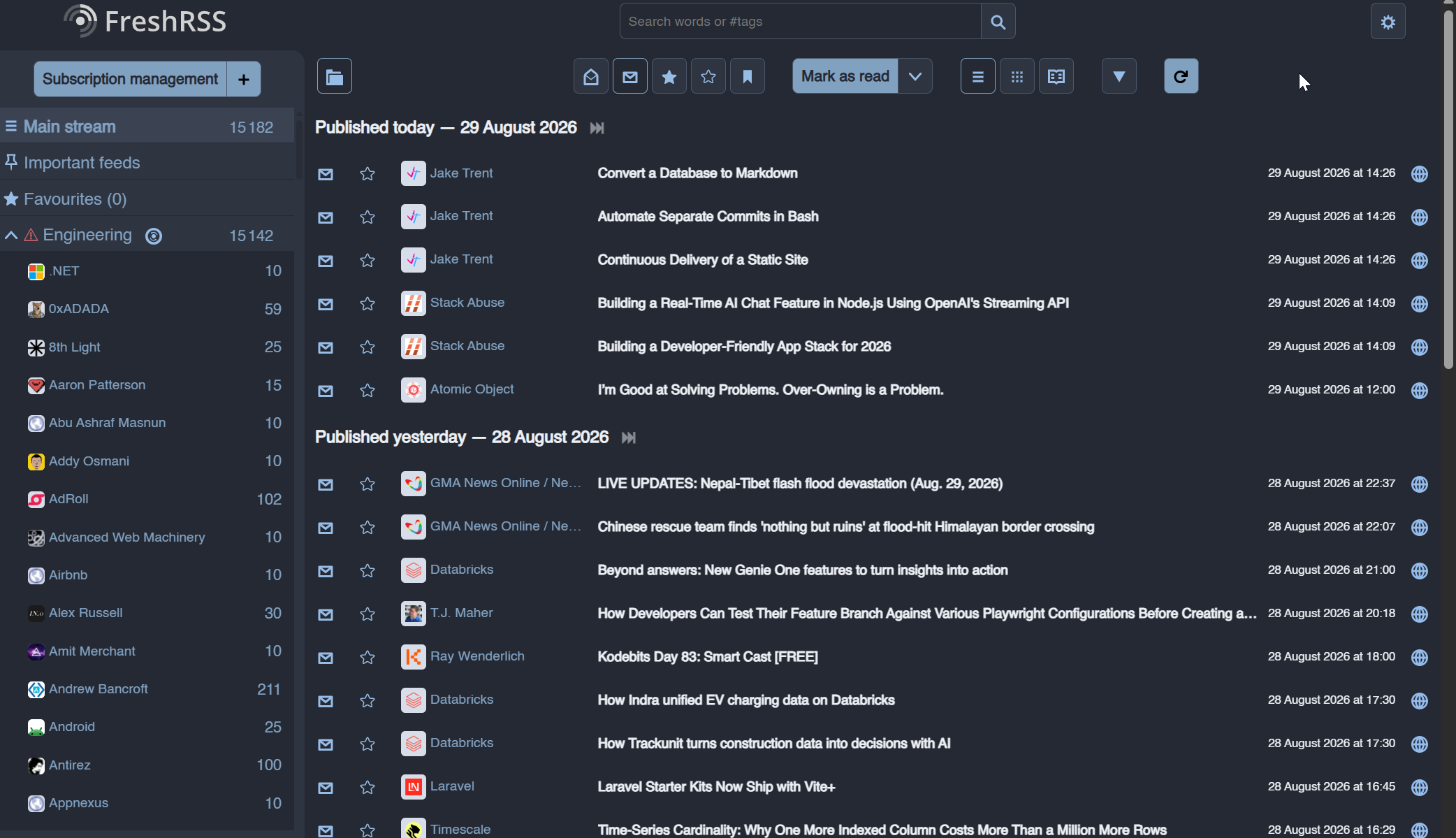
<p>We're pretty much set.... Now, head over to your browser with the instructions I had given above. You'll be shown how to set authentication. Wait, let me show you:</p>
<p><img decoding="async" loading="lazy" alt="GUI" src="https://hevody.github.io/velocity-labs/assets/images/Pasted-image-20260829213044-05da8035e982c9d4600d0aa31d6cf6f2.png" width="2088" height="1236" class="img_ev3q"></p>
<ul>
<li class="">you can configure it from this point...</li>
<li class="">your imagination on how to customize it is the limit</li>
<li class="">for my theme, I used Nord. You can also configure it on the settings</li>
</ul>
<p>I'll drop the main documentation to help you from now on since I am also new in this program and just like you, I'm still testing its capabilities.
<a href="https://freshrss.github.io/FreshRSS/en/users/02_First_steps.html" target="_blank" rel="noopener noreferrer" class="">FreshRSS documentation</a></p>
<p>But you get the idea. You read an article or a blog from RSS feeds. You can search for RSS feeds in Google. For example, search <code>GMA News RSS</code>, then it'll show you the RSS of that specific site that you'll copy in the RSS Feeds section from <code>Subscription management</code>.</p>
<h2 class="anchor anchorTargetStickyNavbar_Vzrq" id="how-to-run-the-server-again">How to run the server again?<a href="https://hevody.github.io/velocity-labs/2026/08/29/FreshRSS#how-to-run-the-server-again" class="hash-link" aria-label="Direct link to How to run the server again?" title="Direct link to How to run the server again?" translate="no">​</a></h2>
<p>Suppose by any chance, you closed the server and want to run it again, which I think you will most probably do given that you will be using FreshRSS again and again. Use this command:</p>
<div class="language-bash codeBlockContainer_Ckt0 theme-code-block" style="--prism-color:#393A34;--prism-background-color:#f6f8fa"><div class="codeBlockContent_QJqH"><pre tabindex="0" class="prism-code language-bash codeBlock_bY9V thin-scrollbar" style="color:#393A34;background-color:#f6f8fa"><code class="codeBlockLines_e6Vv"><div class="token-line" style="color:#393A34"><span class="token plain">find . -type d -name "FreshRSS"</span><br></div></code></pre></div></div>
<p>The bash code snippet above will return the directory where you saved FreshRSS, just in case you forgot.</p>
<p>Example output:</p>
<div class="language-bash codeBlockContainer_Ckt0 theme-code-block" style="--prism-color:#393A34;--prism-background-color:#f6f8fa"><div class="codeBlockContent_QJqH"><pre tabindex="0" class="prism-code language-bash codeBlock_bY9V thin-scrollbar" style="color:#393A34;background-color:#f6f8fa"><code class="codeBlockLines_e6Vv"><div class="token-line" style="color:#393A34"><span class="token plain">#example: ./programming/clones/foreign/FreshRSS</span><br></div></code></pre></div></div>
<p>now <code>cd</code> into the directory that was outputted from the previous command.</p>
<div class="language-bash codeBlockContainer_Ckt0 theme-code-block" style="--prism-color:#393A34;--prism-background-color:#f6f8fa"><div class="codeBlockContent_QJqH"><pre tabindex="0" class="prism-code language-bash codeBlock_bY9V thin-scrollbar" style="color:#393A34;background-color:#f6f8fa"><code class="codeBlockLines_e6Vv"><div class="token-line" style="color:#393A34"><span class="token plain">cd &lt;output_from_find_command&gt;</span><br></div><div class="token-line" style="color:#393A34"><span class="token plain">#example: cd ./programming/clones/foreign/FreshRSS</span><br></div></code></pre></div></div>
<p>then run it again</p>
<div class="language-bash codeBlockContainer_Ckt0 theme-code-block" style="--prism-color:#393A34;--prism-background-color:#f6f8fa"><div class="codeBlockContent_QJqH"><pre tabindex="0" class="prism-code language-bash codeBlock_bY9V thin-scrollbar" style="color:#393A34;background-color:#f6f8fa"><code class="codeBlockLines_e6Vv"><div class="token-line" style="color:#393A34"><span class="token plain">php -S 0.0.0.0:8080 -t ./p</span><br></div></code></pre></div></div>
<p>I'm planning on how to automate this so it won't be tedious, so stay updated I guess...?</p>
<p>Yeah, that's all.  As easy as it is. I'm very much delighted that you read the blog. I hope you will have a great time reading. Enjoy!</p>
<h2 class="anchor anchorTargetStickyNavbar_Vzrq" id="acknowledgements">Acknowledgements<a href="https://hevody.github.io/velocity-labs/2026/08/29/FreshRSS#acknowledgements" class="hash-link" aria-label="Direct link to Acknowledgements" title="Direct link to Acknowledgements" translate="no">​</a></h2>
<ul>
<li class=""><a href="https://www.youtube.com/watch?v=HohZBu_hPZ0" target="_blank" rel="noopener noreferrer" class="">Cris Titus Tech's video</a> has been my inspiration for creating this blog</li>
<li class=""><a href="https://freshrss.github.io/FreshRSS/en/" target="_blank" rel="noopener noreferrer" class="">FreshRSS Doumentation</a> was very helpful as I was trying to figure out how to set up FreshRSS</li>
</ul>]]></content>
        <author>
            <name>Velocity</name>
            <uri>https://github.com/hevody</uri>
        </author>
        <category label="lifestyle" term="lifestyle"/>
    </entry>
</feed>